THE GOSPEL ACCORDING TO JOHN01/ 03
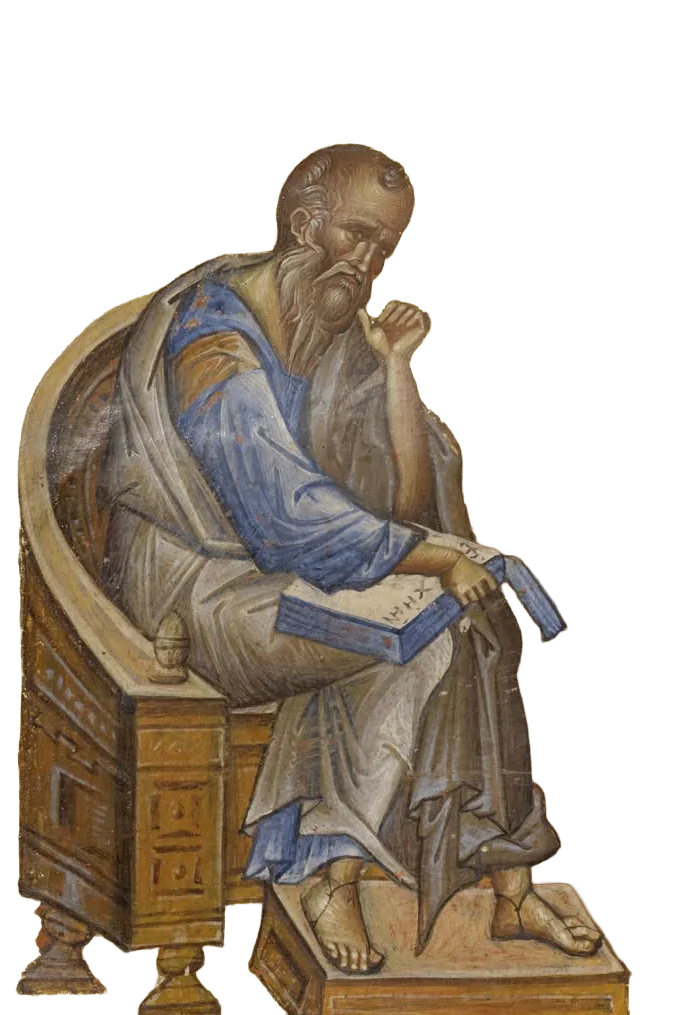
In the beginning was the Word,John 1:1
and the Word was with God,
and the Word was God.
Read. Listen. Study.
An app for reading and studying the Word of God. A space for quiet reading, interpretation, and study.
Reading is free, and you can begin without an account.
Everything in one place
From your first encounter with Holy Scripture to a note you return to, Slovo helps you read, understand and keep what matters to you.
Pick up where you left off, explore the daily readings and return to your favorite verses and collections.
Enter a Bible reference, a word you remember or a liturgical lection number. Suggestions help you find the passage as you type, in either Serbian script.
Highlight a phrase, save a favorite verse, and leave a note beside a passage that matters to you.
Adjust the reading view and explore its tools. Translations, commentaries and audio stay close at hand.
Read the same passage in three translations side by side. Keep your familiar translation close while comparison helps you consider the wording and meaning more carefully.
Follow the readings of the Orthodox liturgical day and open the passages appointed for each service in your chosen translation.
Take time to read a psalm or kathisma. With your account, you can save your place and listen to the Psalter while following the text.
Select verses and save them in a themed collection. Add notes and share the collection whenever you wish.
The browser extension recognizes Bible references on a page. Read the cited passage as you follow the text.
Point your phone camera at a page. Recognized Bible references take you straight to the cited passage.
Scripture in daily life
Make room in your day for quiet moments with the Word of God. Daily liturgical readings, the Psalter and audio alongside the text help you return to Holy Scripture regularly.
Daily readings and the Psalter are open to everyone.
Audio and bookmarks are available with an account.
Your space for study
Keep a thought beside its verse. Connect verses with tags, gather them into a collection, and return whenever you need them.
Create an accountBegin for free and keep your notes with you on your phone and computer.
“Thy word is a lamp unto my feet, and a light unto my path.”
Psalm 119:105 · KJVWhat lights my next step?
Your note stays with its verse, ready for the next time you read.
A shared tag brings related verses together, wherever you found them in Scripture.
Verses from different books, together for your study.
An example of personal study · An account lets you keep your own notes and collections.
Tradition beside the text
Reading is the beginning.
Understanding is a journey.
Read Holy Scripture with commentaries of the Holy Fathers, arranged by book and author. Each commentary opens beside the relevant verse and remains available when you change translations.
Explore commentariesWith an account, you can explore the commentary library and choose the work you would like to read.
Everything in one place
Explore every feature. From books, translations, and commentaries to your own study.
Nothing matches. Try another word or category.
Find the book of Holy Scripture you would like to read in a clear Old and New Testament library. Selecting a book takes you straight to its first chapter.
Find a verse, chapter or passage using a Bible reference, a word you remember or your own tag. Search from one field as you read and study.
As you enter a reference or book name, Slovo suggests matching places in Scripture. Choose the suggestion you need and continue reading.
Adjust the text for quiet, comfortable reading. Choose the size and style of the type, the spacing between lines and the width of the reading area.
With Slovo+, read the same passage in three translations side by side. Comparison helps you notice differences in wording and study the text more carefully.
Choose the translation that suits you for the Old Testament, New Testament, Psalter and deuterocanonical books. Each part can have its own reading translation.
Get to know the available translations through their names, languages and brief descriptions. The library helps you choose the edition you would like to read and study.
Section headings help you follow a chapter and find the passage that interests you. You can show them in the reader and use them in search.
Open related passages in Holy Scripture and notes provided by your chosen translation beside a verse. These connections help you consider the passage and its context more carefully.
When you would like to consider a verse in another translation, open the available editions beside the same passage. Compare the wording and continue your study.
With your account, return to recent searches and reopen the passages you found. This helps when you continue reading or studying something you began earlier.
You can begin reading Holy Scripture straight away, without registering. Books open in the default translation for your reading language.
Daily liturgical readings and kathismata are open to readers without an account. With an account, you can also listen, save a bookmark and return to where you left off.
Follow the Orthodox liturgical calendar and read the passages appointed for the day. Open the corresponding place in Holy Scripture from the service overview.
Read the Psalter by individual psalms or kathismata, in a view suited to this way of reading. Choose where you would like to begin and take time with the text.
When you know a liturgical lection number, enter it in search to open the appointed passage. Lections connect the calendar reading with its place in Holy Scripture.
Read the available Church Slavonic translation in a display that supports its script. Suitable type helps keep the Psalter and other books readable.
Save the kathisma where you left off and return easily to the Psalter next time. View kathisma bookmarks alongside your chapter bookmarks.
When you would like to listen to Holy Scripture, play the chosen chapter and follow the text in the reader. Audio is prepared for your translation and is available with a verified account.
Listen to a whole kathisma while following the Psalter text. Pause whenever you need a moment and resume listening when it suits you.
Choose the available voice you prefer for listening in your account settings. Your choice will be used for newly prepared recordings.
While you listen, the highlighted verse and scrolling text help you follow the passage. Turn following off when you would prefer to browse the text yourself.
Listening controls remain available as you read and browse the text. Pause, resume or return to a chosen point in the chapter or kathisma.
Your notes, tags and highlights are kept in your account to accompany your personal study. When you would like to share selected verses, gather them in a public collection.
Mark a verse that is meaningful to you and save it among your favourites. Browse your saved verses in one place and return to them whenever you wish.
Bookmark the chapter you are reading so you can continue more easily next time. The bookmark keeps the book and translation and helps you follow your progress.
Highlight words or part of a verse that you would like to consider more carefully. Your colour is saved in that translation, helping you recognise meaningful passages when you return.
Add your own tags to connect verses around a theme that interests you. Find them later through search or browse them on your tags page.
Keep your observations and questions beside the verse you are studying. Format the text, add an image and return to your note in the verse details.
Gather verses on the same theme into a collection for your study. Keep the collection private or share its link with others who may find it helpful.
When a reflection reaches beyond one verse, keep it in a separate note. Browse these notes alongside your comments on verses and collections in one place.
Select several verses for your study and add them to a collection or give them the same tag together. You can also share the selected passage as text or a link.
Open a verse’s details to find your notes, cross-references, commentaries and other translations together. This view helps you stay with the passage you are studying.
Find your recent bookmarks, favourite verses and collections on your home page. Continue reading from there or open the day’s liturgical passages.
Your reading-time overview helps you see your rhythm and consistency. Minutes spent with the reader, Psalter and daily readings are gathered on your home page.
Study Holy Scripture with commentaries of the Holy Fathers linked to the relevant passages. Change translations and continue reading the same commentary beside your chosen passage.
Explore the available patristic works and their authors in the commentary library. Choose the book of Holy Scripture you are studying and find the commentary you would like to read.
Find patristic commentaries relevant to the passage beside an open verse. Views by author and the indicated verse range help you read each commentary in context.
Create an account and verify your email to keep notes, choose translations and use study tools. Your saved reflections will be there when you sign in again.
If it is easier for you, sign in or create an account with Google. Manage the connected account later from your profile.
Choose the language in which you would like to use Slovo. The interface and default translations follow your choice, and you can change the language in your profile.
Choose Cyrillic or Latin script for the Serbian interface, whichever you prefer. Search recognises both scripts and helps you find the passage you need.
Adjust Slovo’s appearance to your reading light and comfort. Choose a light or dark theme, or let your device settings decide.
Choose in settings whether to show the deuterocanonical books of the Old Testament. Select a separate translation for them and read them from the book library.
Photograph a book page or choose an image from your device. Slovo recognises Bible references in the browser and helps you open the verses or save the page with a note.
While reading another website, open a recognised Bible reference with one click and read the verse on that page. Open Slovo whenever you would like to continue with the whole passage.
Your space in Slovo
Whether you are beginning to read Holy Scripture or devoting time to deeper study and sermon preparation, choose the tools that will support your journey.
SLOVO IS OPEN
Everything available. Free until the end of the month.
Explore all currently available features through 31 October 2026. No card and no automatic charges.
FOR EVERYONE
With the Logos, every day
Free, always.
Holy Scripture and your personal notes remain available for everyday reading and study.
Your everyday essentials
Planned: up to 3 AI answers a month. Coming soon
FOR DEEPER STUDY
Study Scripture with translations and the tradition of the Holy Fathers.
Free through 31 October 2026.
Everything in Slovo, plus
Planned: up to 100 AI answers a month. Coming soon
FOR RESEARCH AND SERMONS
For deeper study of Scripture and sermon preparation.
Free through 31 October 2026.
Everything in Slovo+, plus
Planned: up to 500 AI answers a month. Coming soon
We are preparing new features gradually and with care. The “Coming soon” label helps you recognise tools that are still in preparation and will become available later.
Everything in Slovo, plus
Everything in Slovo+, plus
Why Slovo
Read and listen to the Word of God in a translation you feel at home with. Adjust the display for quiet reading on your phone or computer.
Compare translations, explore related passages and read the Holy Fathers alongside the verse you are studying. Consider each passage more carefully within the whole of Scripture.
Keep your reflections, mark meaningful passages and gather verses into collections. Return to them in personal study or share a collection with those close to you.
Gather verses and notes for careful study or sermon preparation. Tools for the original languages and further research are in preparation.
Coming soon · original-language toolsBefore your first reading
We are happy to help you
get to know Slovo and begin reading.
Yes, reading Holy Scripture and keeping your personal notes remain free. For deeper study, Slovo+ includes three translations side by side, while Slovo Pro is preparing more advanced tools. Features marked “Coming soon” are still in preparation.
Without signing in, you can read the books of Holy Scripture and the Psalter, search and follow daily liturgical readings in the default translation. After creating an account and verifying your email, you can choose translations, listen and keep your notes. Three-translation comparison is a Slovo+ feature.
The translation library introduces the available editions, their languages and descriptions. You can choose a separate translation for the Old Testament, New Testament, Psalter and deuterocanonical books; the initial choice follows your reading language.
Yes, you can open Slovo in the browser on your phone, tablet or computer. Sign in to your account to find your saved notes and collections on each device, without installing a separate app.
Photograph a page or choose an image from your gallery. Slovo recognises Bible references in your browser and helps you open the corresponding verses. You can also save the page image with your note.
When you encounter a Serbian Bible reference on another website, the extension lets you read the verse with one click. Stay with the page you are reading, or open the passage in Slovo when you wish. The extension is available for Chrome, Brave and Firefox.
You can use Slovo in Serbian, English and Russian, with either Cyrillic or Latin script for the Serbian interface. Choose a light or dark appearance, or let the display follow your device settings.